
Counters are numeric values incremented automatically by the system.
When a new form is created, on saving the program increases the counter value by one. To use a counter, you need to create a specific field in the table.
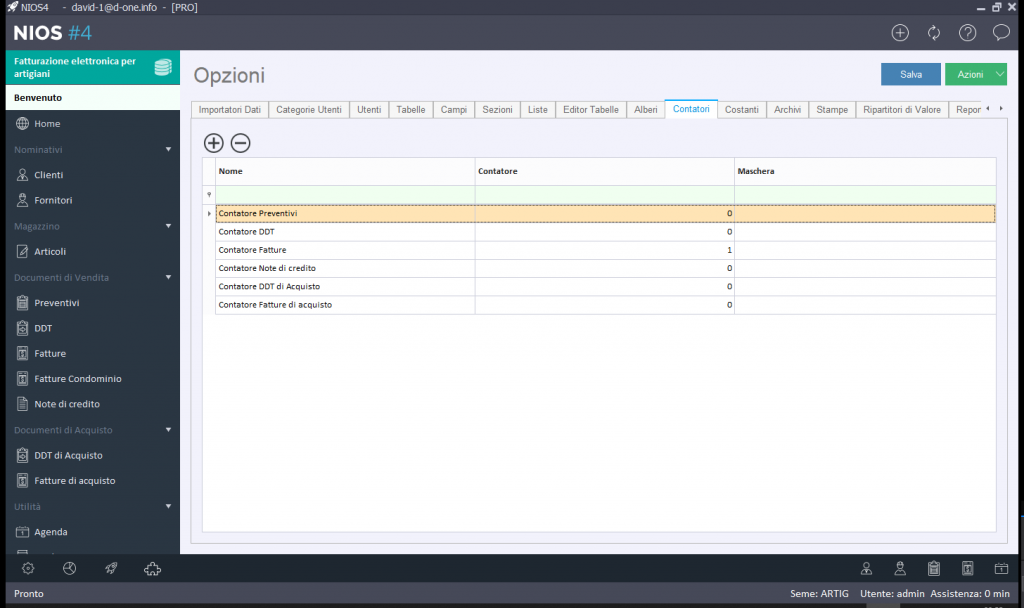
If the record isn’t new, the counters aren’t touched. The key difference is between local and cloud database counters: for cloud databases the counters are managed directly by the server, and on saving the program asks the server for the number to assign. This is because several devices might request a number at the same moment, so the information must be centralized. If the number can’t be received at the time of saving, the server assigns it automatically during data synchronization.
Counters support an input mask. If you want to write something besides the progressive number, enter it in the mask column: to add the year 2017 preceded by /, write /2017 in the mask; to add fixed letters or numbers before the progressive number, write them followed by * (e.g. PR1 = PR*); to add leading zeros, write as many asterisks as there are zeros before the number (e.g. 0001 = ***1).