
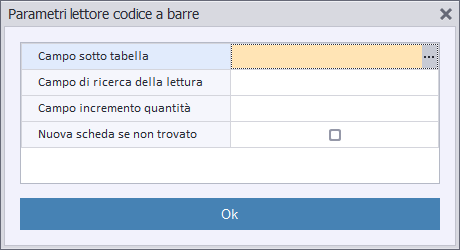
These parameters enable a box for reading barcodes directly on the additional tables of a document. In practice, they automate the search for a code in a subtable on the table row. Once the record is found from the scanned code, the system automatically adds a new row to the table, filling in the values from the mappings set on the field. If the same code is scanned several times, the value of the field set for the quantity is increased. You can also specify that, if the code is not found, a new form opens automatically with the scanned value filled in.
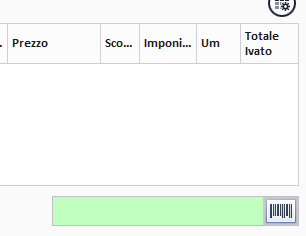
When the parameters are filled in correctly, a dedicated box for barcode reading is enabled. Its position depends on the type of device. For example, on Windows it is at the bottom right.
Subtable field
The field on the table row used for the search and for filling in the values.
Scan search field
The field in the subtable used to look up the code read by the barcode scanner.
Quantity increment field
The numeric field that is increased if the same code is scanned again and a row for it already exists in the table.
New form if not found
If the scanned value isn't found, automatically opens a new form with that value filled in, to add the new record.