
Additional tables are tables inserted as extra pages in the table’s form.
Each page contains a grid where you can enter several rows of data.
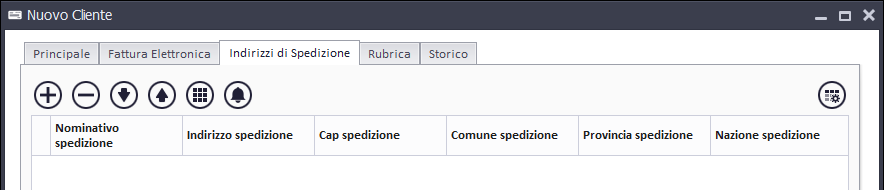
This lets you create a parent-child relationship between several tables. When the form is saved, all the data in the additional tables is saved so that it is linked to the parent record.
To link an additional table, click Set and select the table to link.
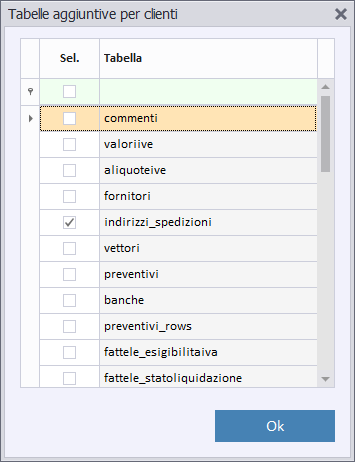
If the table is of type Document, the table “tablename_rows” is automatically linked as an additional table.
Additional table extraction
This automation extracts information from one of the additional tables when saving and writes it into another destination table. It’s useful, for example, for extracting totals or groupings of data to use elsewhere.
To add an extraction, click Set to open the management window. At the top are the buttons for adding and deleting extractions. The arrows set the order: when saving, the program runs the extractions in the order set by the user.
To add a new extraction, click Add.
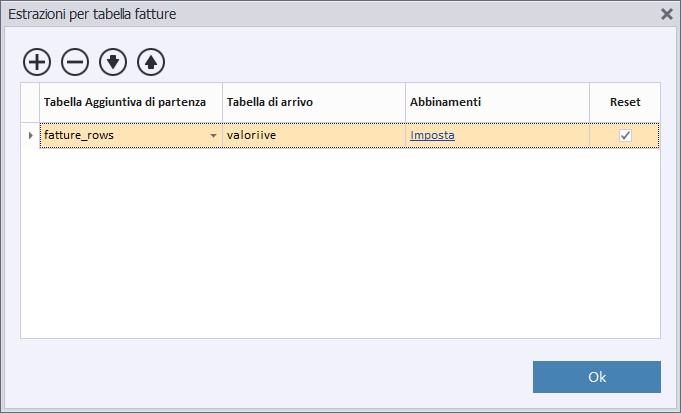
In the first column, enter the additional table the data is taken from, and in the second column the table it is written to. Ticking the Reset flag tells the program to delete any data in the destination table before running the extraction.
Clicking the Mapping link opens the screen for choosing which fields are read and which are written in the destination table.
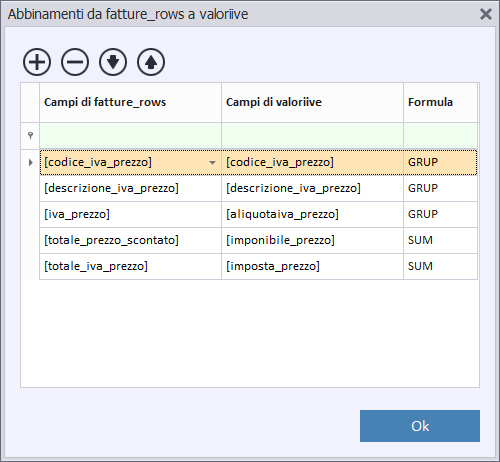
Depending on the formula set, the extraction groups the data by the value of the field with the GRUP formula, or sums the values with the SUM formula.