
The program lets you create reports by cross-referencing the data in the tables. You can create standard reports or scripted reports, that is, reports built with the LUA programming language.
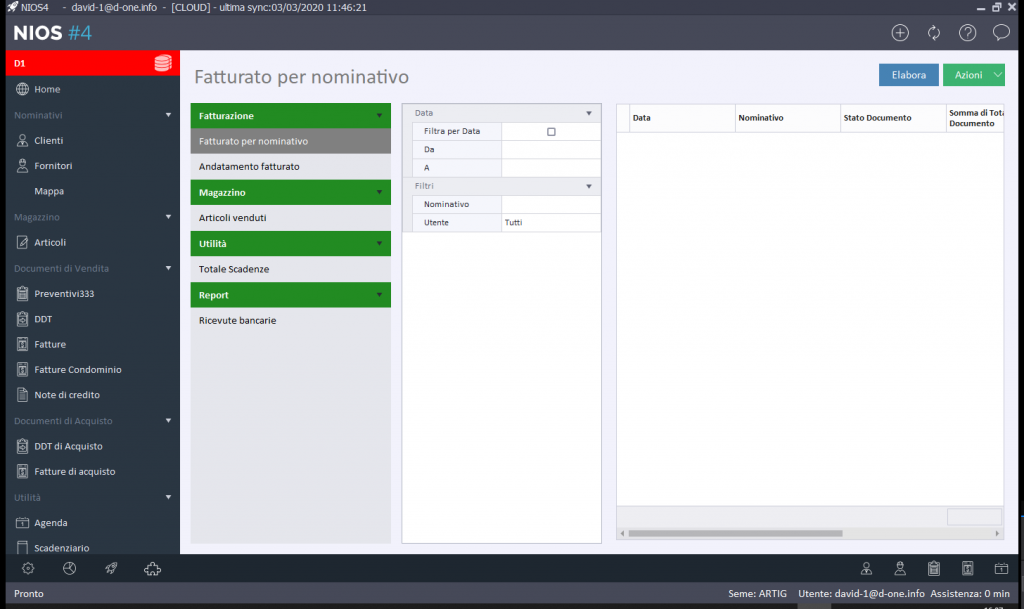
To view the reports, press the dedicated button next to Options and choose the report to load from the bar. Enter the filter data and view the results.
To add and edit reports, use the dedicated page in the Options section.
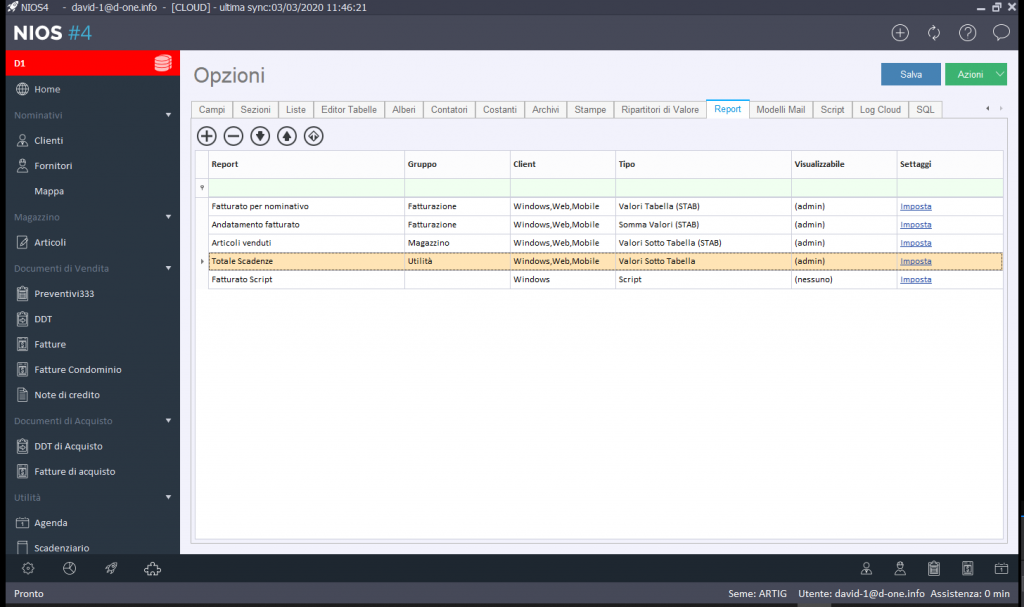
Report
The name of the report that will be displayed.
Group
The label used to group reports under a single item.
Client
The devices on which the report will be displayed.
Type
The type of report.
Viewable
The permission category associated with the report.
Settings
The link to set the report parameters according to its type.
Each report type has specific parameters depending on the kind of processing it will perform.
The reports currently available are:
Sum Value (STAB)
Calculates sums of values starting from a Subtable field.
Subtable Values (STAB)
Extracts data from an additional table (e.g. find out how many items were sold in the invoices within a date range).
Sum values
Calculates sums on a table, with the option of applying filters.
Subtable Values
Extracts data from an additional table, with the option of filtering by a Text field.
Table Values (STAB)
Calculates sums of values starting from a subtable, with the option of adding filters based on descriptive fields.
Table Values
Calculates sums of values starting from a subtable, with the option of adding filters based on text fields.
Script
Script reports are a group of programs that let you fully customize the filter interface and the processing.