
Read triggers are automations that run when one or more specific fields are modified. Their job is to retrieve a value from the database and write it into a field of the form or into an additional table.
For example, once the customer is selected in an invoice, every time I add an item to the rows a trigger runs that matches the customer and the item code to find the price reserved for that customer.
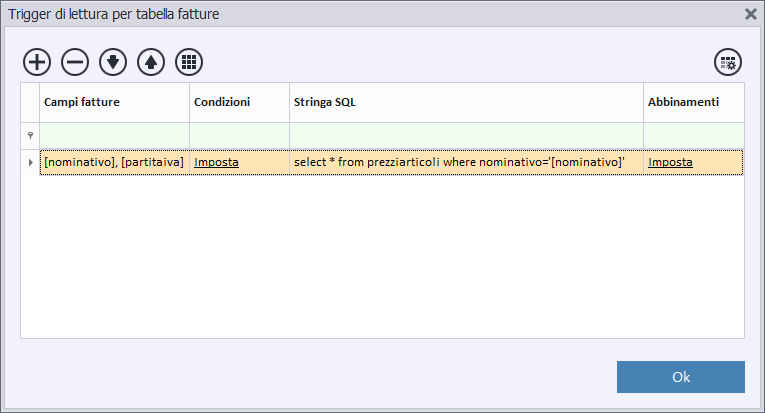
To create a read trigger, click Set and then Add.
In the left column, select the fields that fire the trigger: here they are fields of the fatture (invoices) table, and the name and VAT number have been selected.
The SQL String column contains the command that selects from the database all the data in the Item Prices table with the same name as the invoice.
When the SQL command runs, the text [nominativo] is automatically replaced with the actual value at that moment.
If the read trigger were on the invoice rows grid, and so fired at each item added, to retrieve the customer in the form you’d replace the square brackets with curly braces, like this: {nominativo}. The program then takes this value not from the grid but from the form that contains it.
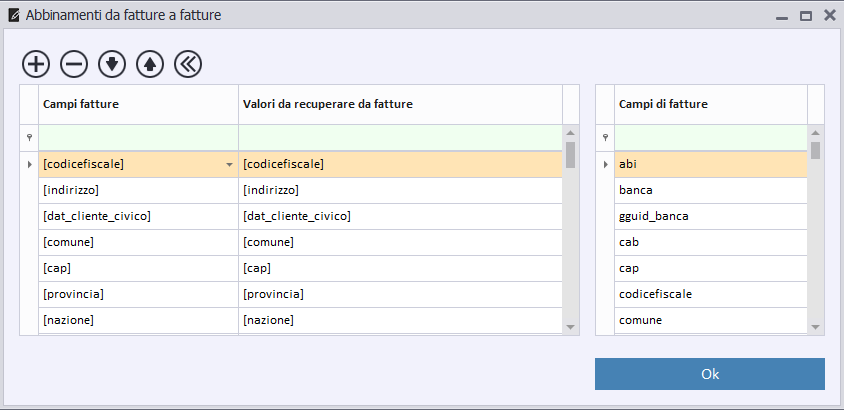
To write the values retrieved by the trigger, you need to set up the mappings. If the SQL string is left empty, the program lets you create the mappings using the fields of the current form.
Triggers can be set to fire only when specific conditions are met in the form.
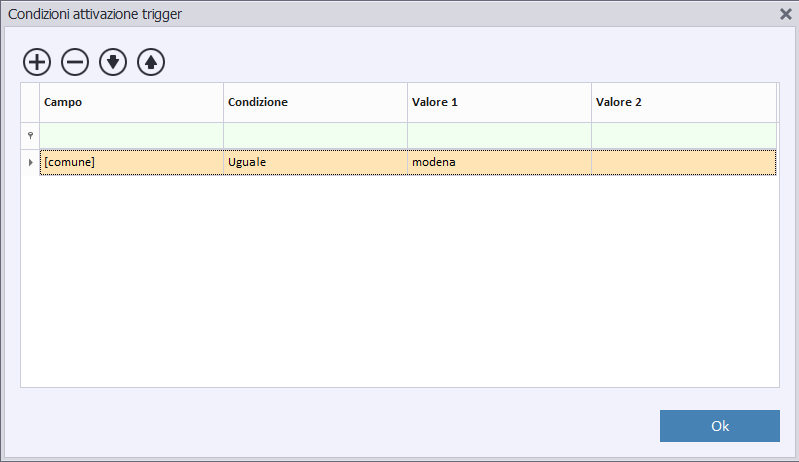
In this case the trigger fires only if the comune (town) field equals “modena”.